
Overview
The Search the Web custom tool gives your AI assistant the ability to perform live web searches during a conversation. The tool calls the Bing search engine and returns results that the AI can use to answer questions with up-to-date information.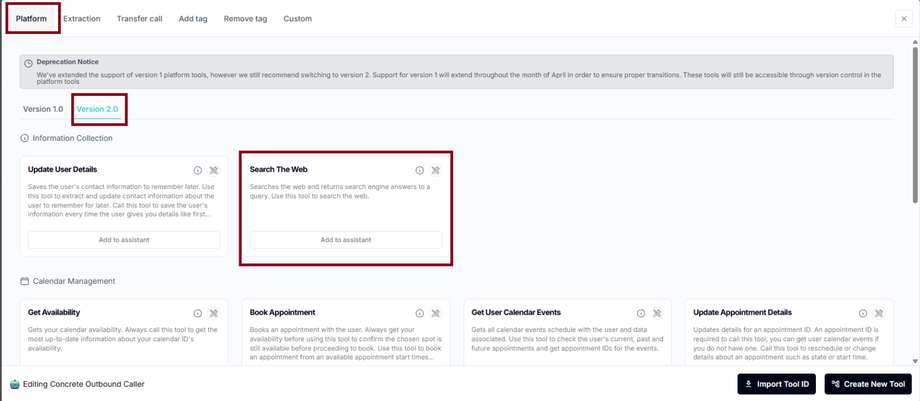
Use Cases
- Real-time information — Answer questions about current events, pricing, or availability
- Research — Look up businesses, products, or services during a conversation
- Fact-checking — Verify claims or find supporting information
- Competitive intelligence — Research competitors on behalf of users
Setup
1
Create the Custom Tool
In your assistant settings, create a new tool:
- Name:
search_the_web - Description: “Search the web for real-time information using the Bing search engine”
- Parameters:
query(the search terms)
2
Configure the Search Backend
Set up a Buildship workflow or webhook that:
- Receives the search query
- Calls the Bing Search API (or similar search service)
- Returns formatted search results to the AI
3
Add to Your Assistant
Connect the endpoint, save, and update your prompt to instruct the AI when to use web search (e.g., for questions outside its knowledge base).
To call the tool, use
search_the_web — the response will contain results from the Bing search engine.Related Pages
Scrape Website
Scrape specific pages for detailed content
Screenshot Website
Capture visual screenshots
Custom Tools Overview
Custom tool fundamentals
Knowledge Base Optimization
Build a better knowledge base